Instagram has gradually become an everyday social media staple. A lot of people would not be able to imagine life without the presence of the photo-sharing app.
There are people that earn their daily income on Instagram through influencing or even running a business on the app.
Instagram has created more and more features to help small businesses grow and make it easier for companies to connect with their clients.
People are able to connect with their friends and family a lot easier, with the creation of video calls and so many other features.
It is so easy to keep up with your friends who are far away through posting pictures and videos and even the twenty-four-hour stories. Instagram has now expanded so much more than what it was in the past.
What was once an app just to post pictures now has a fun option to post 30 seconds of video clips called Reels.
There are so many interesting features to use now, and overall it has become a very versatile app. It tries its best to keep up with the ever-evolving social media space.
People are able to build a sense of community through Instagram. There is literally no area of life in which you would not find your own people on Instagram.
One of the joys of Instagram is actually putting effort into creating content and building your follower base then watching as those efforts pay off as your follower base grows.
Gradually you would start to meet people who are genuinely interested in your content, and this brings ultimate satisfaction.
But all these awesome things do not matter if you lose access to your account in any way. The moment you cannot log into your account, you lose all the cool benefits of Instagram.
You cannot use the features of Instagram without an account. And that also means all the effort you have put into your account would be gone.
If you run a business account, that would mean you would lose contact with all your clients.
One thing you must realize is logging-in issues are not Instagram specifically; all social media platforms experience this type of issue at one point or the other.
Obviously, there is a myriad of ways one could lose an Instagram account. It could be because someone hacked your account, it could be because Instagram banned you, or it could be something as basic as forgetting your account password.
Honestly, as bad as these sounds, experiencing it in real life is a lot worse. You would probably be put in distress mode immediately, and all you would want is to get your dear Instagram back.
Thankfully, most often than not, there are solutions to problems like this.
So, if Instagram will not let you log in, how can you fix that? To get to the solution to a problem, you must first know the problem. If you are not able to log in, you must first find out why you cannot log in, and then the rest would be as easy as pie.
What Causes Log In Issues?
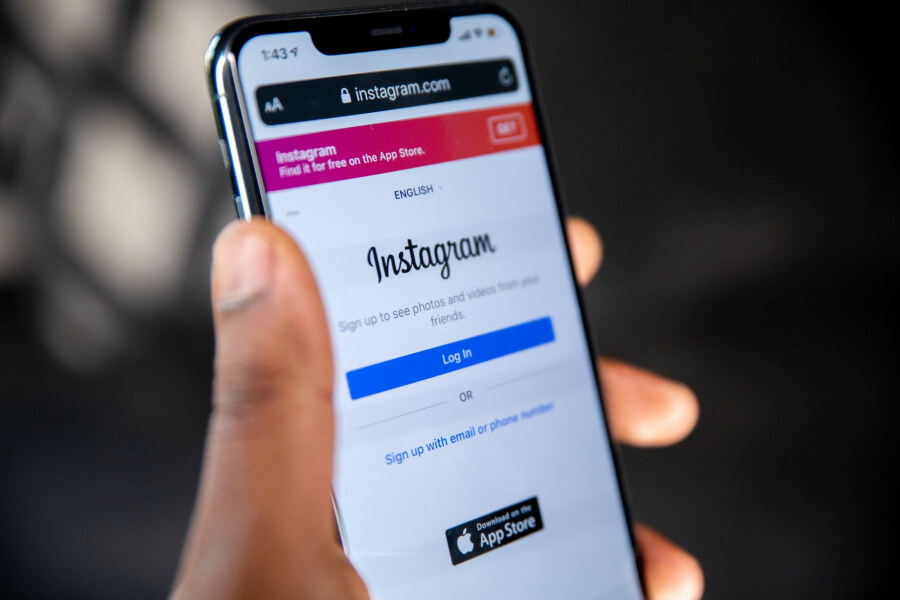
Here are some of the reasons you might be experiencing log in issues;
- You have forgotten your Instagram username or password, and you are entering an incorrect one. You could also be making typographical errors while entering your username or password.
- For whatever reason, your account you are trying to log into might have been blocked or deleted.
- You are trying to log in from a new device that Instagram does not recognize; therefore, you might need further verification before you would be able to log in.
- Your network is poor, so your device cannot communicate properly with the Instagram server.
- The date and time on your device are not set correctly.
- You are using an outdated device that can no longer support the Instagram app.
- Your device has memory or hardware issues.
If you fall into any of these categories, that could be the reason you are not able to log in.
What Messages Does Instagram Send When You Cannot Log In?
When you are having issues with your Instagram, and it is a login issue, these are the likely messages Instagram would send to you;
- “We can’t sign in to your account.”
- “We are sorry, there was a problem with the request.”
- “Forgotten password for username?”
- “The username you entered does not belong to any account.”
- “Please check your username and try again.”
- “Instagram username not found.”
If Instagram sends any of the above messages to you, then be certain without a doubt that you are dealing with a login issue.
So, when it comes to solving log-in issues, there are two classes of solutions. There are quick solutions that are easy to carry out and do not require much time, and then there are advanced solutions that are slightly harder to carry out.
Quick Solutions to Instagram Login Issues
Here are some easy solutions to your login issues that would not require much stress for you to solve;
- Reboot your device: Sometimes, when you are facing login problems, the solution to your issue could just be you rebooting your device. Stop whatever process you are trying to do on it and just switch it off and then switch it on again. Once the phone is on again, try opening the app and log in again. It should work perfectly after this.
- Force- close the App: Another option would be to force the app to close down then try re-launching the app. This could also work to solve your login issue.
- Check your data or Wi-Fi connection: There is basically no internet activity you can carry out properly if your data connection is poor. It is very valid speculation that you are not able to log in because your network connection is weak. The message Instagram sends to you when you try to log in is also a giveaway, so make sure you pay attention to it. If the message has to do with poor connectivity, you should definitely check your Wi-Fi or cellular connection.
- Reset the time and date on your device: You might have issues with logging in if the time and date set on your device are wrong. To prevent this type of situation, you need to set your device to set date and time automatically. This way, the device would always have the correct date and time set.
- Clear your app’s cache and data: The app cache in your device might have been corrupted, which could lead to it affecting the way the app works. To prevent this, you would have to clear out your app cache.
How to clean your app’s cache or data.
- Go to Settings on your device.
- Open Apps.
- Click on Instagram.
- Open your storage.
- Then click on Clear Cache and Data.
- Afterward, you would need to force stop the application.
- Then try to sign in using your personal computer.
- Try to use the browser version of Instagram.
- The browser version of Instagram is quite the same as the mobile version, and they work almost the same way. So you should not have any problems.
- If the problem has been solved, you should be able to log in immediately.
- Try to log in from other devices: You could also try logging in from other devices to see if the issue you are having is device-specific. This would let you point out whether your device is outdated or it just can’t run Instagram anymore.
If you still have login issues after trying all these recommendations, that means you would need advanced methods to solve your problems.
Advanced Solutions to Log In Issues
- Reset your password: If you have been having trouble logging in, especially if you realize you have forgotten your password, the logical thing to do is to reset your password. But before you do this, make sure you are totally sure you are not making typographical errors while entering your password or even your username.
If you want to change your password:
- First, you would need to open your Instagram app and make sure you are on the log-in page.
- Then you would click on the “get help signing in” link that you would see below the log-in fields.
- While you were creating your account, you would have used a phone number, email, or username, so you are meant to type any of those details in and then click “next.” Just makes sure you use details that are actually connected to your account because you would need access to those details to complete your password reset.
- If you choose to use a phone number, then that means Instagram will send a message to you containing the new code you can type into the app.
- Click Next, and then you can reset your old password to a new one by entering it twice in the given fields and clicking on reset password.
- Once you have reset your password, you would then be able to log into your account with the new password.
- If you typed in an email, a confirmation link in the form of an email message would be sent to your email address.
- You would have to go to your mail and check for the message, but you may have to check your spam, update, or social folder if you do not find it at first glance.
- Once you open the message, click on the password reset link.
- You would then be brought to a page where you can enter your new password twice in the given field.
- Click on reset password and then log in to your account.
- If you typed in your username, you would be asked to select a preferred method of getting your confirmation code, either by email or SMS.
- The next step would be based on your choice, as explained above.
If you follow all the steps appropriately, you should not have any issue with resetting your password, and you should be able to log in successfully.
- Update your App: If you are certain about your password not being the issue, another likely cause might be that your app is outdated. You would have to update your app to solve your login issues.
How to Update Your Instagram Using an Android Device
It is a very easy process to update the Instagram app. To update your Instagram app on an android device, you would need to;
- Load the Google Play app.
- Then go to the options toolbar located at the top left corner of the screen.
- Then click on the second option called “apps and games.”
- It would immediately list all the apps that need to be updated to your phone.
- Look through the list of apps to confirm if your Instagram app is on the list.
- If it is there, tap on “Update” to start the update process.
- Once the app is done updating, you can try logging in again.
How to Update Your Instagram on an IOS Device
The technique of updating your Instagram app on an IOS device is also easy, and it is actually similar to that of an android device.
The only real difference is that IOS devices use the App store instead of the Google play store. To update your Instagram on IOS, you have to;
- Load your App Store.
- Click on the update button at the bottom right side of the screen.
- You would see a red dot with some numbers. Those numbers are based on how many app updates are available for your device.
- Then you would see a list of apps you could decide to update.
- Keep moving down till you find the Instagram app, then click on the Update button beside it.
- The app will start updating, and once it is done, you can try to log into your Instagram as normal.
If your app was already up to date and there was nothing to update, you could just uninstall and reinstall the app. It should perform the same function and get your account’s log in working perfectly again.
- Sign in with your Facebook account: The thing with this solution is that your Facebook account must have been linked to your Instagram account before the login issue started. If you have previously linked both accounts, all you need to do is log in with that account that has already been linked to your current Instagram account.
- Contact Instagram: If you have tried everything in this article and nothing seems to be working, it might be high time for you to contact Instagram Help Center. They would be at a better vantage point to figure out exactly what is wrong with your account.
How to Properly Link Your Facebook Account to Your Instagram
Since this article talked about using your Facebook account to sign in, it would be appropriate to expatiate on how to link your Facebook and Instagram accounts together.
First, I would assume you already have a Facebook account, and if you do not, you would need to sign up and get yourself a Facebook account.
Once you have a fully functional Facebook account, then you can;
- Go to your Instagram profile.
- Go to settings.
- Then navigate to accounts.
- Then go further to linked accounts.
- Then select Facebook.
- Carefully follow the instructions that you would see on the screen.
How do you safeguard your Instagram account from hackers?
It is possible your login issues could be a result of hackers messing with your Instagram account.
Hackers might change your password, mess with your account settings, violate Instagram regulations while using your account, steal your client data, and cause so much more harm.
How do you prevent this type of occurrence from happening in the future?
- Turn on your two-factor authentication: This setting basically means that anytime you try to log into your account through a new device, you have to enter a code that would be sent to your phone through text or through software like Google Authenticator. This makes it very hard for hackers to carry out their nefarious plans. You can make this setting functional by setting it up through the security page in the Instagram app.
- Always be very observant of your log inactivity: Your log inactivity would be a dead giveaway if anything suspicious was going on in your account. Through this page, you would be able to see all the devices that your Instagram account is currently logged into. You would also be able to see the various geographical locations of those devices. If you do not recognize any of the devices or you notice any activity that looks suspicious, it is highly advisable that you log out from such devices immediately. You can log out from those devices with the device you are currently using for your account.
- Always be cautious about the emails you get from Instagram: You have to realize your mail is the first point of call through which Instagram can alert you if anything suspicious happens to be going on in your account. If there has been an attempt to change your password or any weird activity like that, Instagram would always notify you by mail first. There would be a link that would be sent to your mail, and this link can also be used to report the activity to Instagram.
- The next best action would be to change your password to something completely different as soon as possible. If a hacker also tries to change the email address connected to your account, there would also be a link that would be sent to your mail that you could use to revert such action. You just have to be careful and be sure those emails you get as alerts are also not phishing attempts to get your Instagram account information. There is a walk around when it comes to this, though, and you can always check through the security section to see the emails Instagram has sent you in the last 14 days, just to confirm if those notifications are legit or not.