It’s not a surprise to forget the email address used for opening your Instagram account. The app has an auto sign-in feature that ensures you’re always logged in on the platform.
You can spend months without using your email to log into your Instagram account. This will lead to not using your email address to sign-in and with time we tend to forget the email address used to sign up for the Instagram account.
If you’re also running multiple accounts, you can definitely forget the email addresses used for each account. It can also be that you’re running multiple businesses and you have a separate account for each business which is not easy to always remember the email address used.
Another scenario is that you can buy a business and you have no idea the email address that has been used to sign up for the Instagram account where the business profile is located.
You can see that there are a lot of reasons that can make you forget the Instagram email used for signup and there are situations that demand you find the email address used.
It’s absolutely normal these days to forget the Instagram email address for the typical user, and businesses also have their own reasons for locating the email address used.
In this post, we’ll show you how to locate the email address used to signup on Instagram, and if you like, you can change it from your profile as well.
How To View Instagram Email Address From Profile Settings
Using a web browser
- We assume that you’re already logged into your IG account using your browser but want to know the email address connected to the account.
- You should then click the “Avatar icon” which is at your top right of the screen.
- Select the “Edit Profile” option from the menu.
- You should click on the email to view the email address used for that particular account.
- If you want, you can edit and change this email address.
Using the Instagram app on mobile devices
- Launch your Instagram app and click your profile photo at the bottom of your screen.
- You should also select the option “Edit Profile”.
- When you scroll down, you can see the email address and password field.
- The email address for the account can be seen and if an edit is required you can do that.
Using these two options is possible if you’re already logged into your Instagram account and want to find the email address associated with the account.
What If You’re Not Logged In And You Can’t Remember Your Email Address?
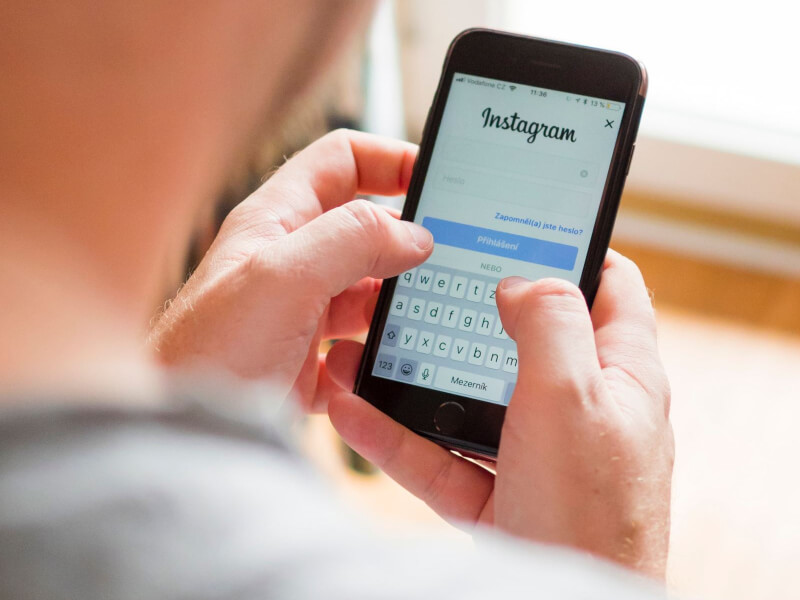
We’ve already mentioned that due to auto sign-in, some users end up forgetting their email address, and that means they won’t be able to log into their account if they haven’t sign-in already.
The solution now is to use your phone number to login instead of using the email address. If you can’t remember your password you can still use your phone and reset the password and after that, you can view your email address or change it.
If you have access to the phone number used for the account but can’t remember the password, you should hit the “Forgotten password” which is on the login page below the email and password fields. You should tap on “need more help” which will bring you back to log in again.
You’ll be asked to enter your username, phone number, or email address. In this case since you don’t know the email address nor the username, you should type your phone number and if it’s the correct number on their database, you’ll be directed to a page where you’ll reset your password.
You’ll of course receive a verification code to your phone before you complete the process. You’ll also be taken to a page where you can confirm your email address and you can change the email address by adding a new one.
Confirm and save changes, now you can login to your Instagram account successfully using the new login information.
If you changed your email address, you’ll receive a verification link to verify the email and if it’s a phone number you’ll receive a verification code. Complete whatever verification sent to you, and you’re good to go.
I Don’t Have Access To Phone Number And Email Address, Can I Still Login?
If you don’t have access to any of these two, you can hardly log in to your Instagram account because the login link or verification code will be sent to either your phone or email address. The only exception is you know the username and the password also.
How To Find Email Address Of Other Instagram Users
I bet you’ve come across a lot of tools promising to extract email addresses on Instagram. Of course, these tools can extract emails on Instagram. In fact, any email extractor can find emails on Instagram or any other website.
There is however no guarantee that these emails are the ones linked to the account of the Instagram user. Businesses display a contact email address on their profile and that’s what most email scrapers get for you, but it’s not necessary that the user or business used the same email address when creating the Instagram account.
Once you scrape emails on Instagram, you have to conduct an extra search to find the real owner of the email address. By doing this, you can personalize your email message with their name which increases open rate and trust.
My Instagram Account Has Been Hacked, What Should I Do?
Hacking Instagram accounts isn’t something new and the targets mostly are public figures or I can say celebrities in general.
But some people go to the extent of hacking personal accounts of the normal Instagram user, if they don’t know how to hack, they can hire a professional hacker to do it for them.
Hackers will log into your account and steal information from your profile settings, or take a look at your messages, and the account can also be used to make harmful posts on your behalf that will mislead users.
The aim is to put the blame on you even though you have no clue about such actions.
The first thing to do after you realize your account has been hacked is to change your password and also report to the Instagram support team immediately.
Submit a ticket after changing your password to let Instagram know what happened to your account. If the account has been used to perform some illegal activity, let them know you’re not involved.
Let’s share some tips that will prevent your account from being hacked.
Security Tips For Instagram Users
Use a very strong password
A strong password means a combination of letters, numbers, and characters. Don’t use the same password with your other online accounts, including special characters like *!% and so on, and also include them randomly within the password with numbers.
When you create such a password, you should save it on paper in case you have forgotten the characters used.
Don’t let untrusted apps access your account
You don’t know how safe these apps can keep your personal info when you give them access. Some apps will require that you give them permission to execute some actions within your Instagram account.
You shouldn’t trust all apps, many of the apps that require this are automation tools and they can cause account suspension or termination.
Stop allowing other people to access your email accounts
You can’t trust people these days with email account access because you don’t know who your enemy is and it can be anyone, including friends and family members.
Anyone that has access to your email account can log in to your Instagram account without you knowing it. Once you realize that your Instagram account has been hacked, you should change your email password as well.
Log out from Public Computers
Logout your email and Instagram account on all devices you believe other people have access to. Check saved passwords on your browser, most browsers will prompt to ask you if you would like to save new logins on websites.
A lot of the time we accept not knowing that the info is available to any user that checked saved usernames and passwords. Whatever browser you’re using, make sure to clear your login info if you have given permission to save it.
Also, don’t check the “Remember me” option which will keep you logged in for a long time.
Change all Login Details When Compromised
When you’re hacked, you should change both email and password, most of the time hackers use your email address before they can penetrate into your Instagram account.
You already know that Instagram has a checkpoint that may require email verification, and you can also reset the password by receiving the reset link through email.
If the hacker has access to your email, they can always bypass verification and can change your password. You can end up not being able to log into your Instagram account because someone has already taken control.
Enable two-factor authentication
Most email providers and social media accounts offer this option. By enabling this feature, you’re making it difficult for anyone to hack into your account.
With the two-factor authentication (2FA), your account is connected to your device, even if someone manages to get your password, they won’t be allowed to login.
To set up this feature, you should head over to your profile and tap on “Settings”, then “Security”, and also the “Two-Factor Authentication” option. Select “Get Started”, you choose to set up the two-factor authentication via an independent app like “Google Authenticator” or through a text message. Choose the one you like and set up the two-factor authentication.
Always check your login activity
Some hackers won’t do anything to your account when they have access, they’ll study your account and then find a way to harm you. If you notice unusual login, you should immediately change your password.
When you check login activity you can see all logins from different locations, if you don’t recognize any location, you can logout all the devices and also alert Instagram that you don’t recognize such logins.
It’s mandatory to change your password, make it very strong as mentioned earlier. To view login activity, you should go to “Settings” and tap on “Login Activity”. You can now see all activities of your Instagram account.
Make your Instagram account private
If you want more security for your account, you should set it as private. By switching to a private, you have restricted your account and your profile posts and details are hidden from the public.
Your post content won’t show up in search and only your followers can see your profile. Follower requests aren’t approved automatically, you have to approve them manually.
You should be selective and make sure to select only people you know and trust, not just any random follower that shows up. Go to your profile and tap on “Settings – Privacy – Account Privacy” you should toggle ON by sliding the gear and your Instagram account is now in private mode.
Block, Restrict, and Report Accounts
You’ll face a lot of harassment if you’re running a public account with a massive following. I don’t suggest giving much attention to the strolls you get on Instagram, just ignore them.
If however, you find someone who is harassing you repeatedly, you need to block them and at the same time report their account. Am not talking about reporting every user that criticizes your posts, you should report those that harass you through DM or in comments.
Disable your activity status
Before anyone attempts to hack your account, they want to make sure you’re offline. When you disable activity status they can’t view your online status even if you’re online.
They will also not be able to see the last time you were online. You can disable activity status by going to “Settings – Privacy – Activity Status”, you then toggle off the option and your activity status is now hidden from your followers.
But the downside is that you can’t see the activity status of other Instagram users.
These are some of the few tips you need to keep in mind if you want to secure your Instagram account. The best strategy for running your Instagram account is to ensure that you’re not using devices accessed by multiple people, use a strong password that is hard to guess, and don’t ever share your password with anyone.