
Amazing Stories and content are shared on Instagram and there would come a time when we want to save some of the photo and video content shared on the platform, but then we’re worried whether the poster will be notified or not!
As you already know content on Instagram Stories will be available for 24 hours only, after that duration it will disappear, the best way to save the content is by taking a screenshot or video recording since Instagram doesn’t provide any special means of downloading content on your device.
There has been a lot of debate on the topic of whether Instagram notifies users when you take a screenshot of their content or not.
We’re here to clear the air for you because in this post we’ll explain how Instagram screenshot notification works and whether it’s possible for the user you’re taking the screenshot to be notified or not.
Why Do Instagram Users Take Screenshot
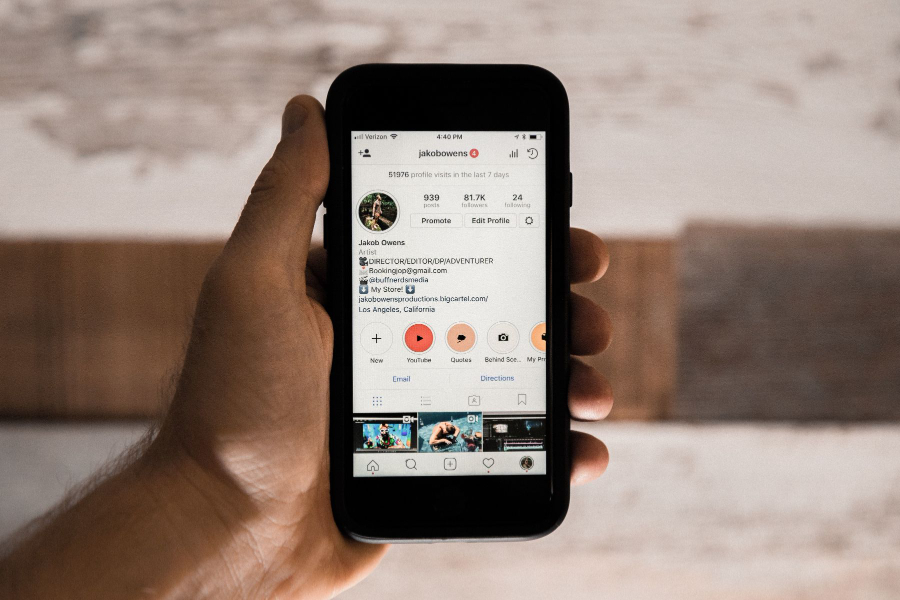
There are lots of reasons why you want to take the screenshot of content on Instagram, some of the notable ones include the following:
- Using a picture as a wallpaper: There are some beautiful photos you can’t resist letting go on Instagram, you want to see them every day on your device and hence you decided to take a screenshot and save it on your device.
- As a reminder: If you find a helpful photo on your feed with some helpful info like quotes, for example, you don’t want to spend time searching to view that photo, taking a screenshot and saving it on your phone will make it easily accessible to you.
- Share the content on other platforms: There are some things you’d love to share with others that aren’t on Instagram and taking the screenshot will let you add the content on your device and then upload it on another platform.
- Demonstrate something to others: When you want to share a recipe that requires demonstration, or you want to implement the recipe, the best way is to save a screenshot so that you can always go back to it as a reference with ease.
- Saving gift ideas: A lot of gift ideas are shared on Instagram, so much that you’ll forget most of them, but if you save a copy by taking a screenshot, you now have access to it on your device.
- Save products: Who doesn’t love to shop online for great products, you might notice a great product but you’re not ready to order, taking a screenshot will serve as a reminder when you want to purchase the product.
- Obtain proof: Let’s assume someone is using your content without permission, the best proof you can have is to take a screenshot from their profile before you start your legal proceedings.
- Craft some ideas: Whatever profession you’re into, you can always get lots of ideas on Instagram and it’s not easy to memorize them at once. Taking a screenshot will help you remember these ideas when you need them.
Everyone has their reasons for taking screenshots, but the above reasons are popular among Instagrammers and it leads them to take the screenshot of content they found on the platform.
How Instagram Screenshots Work From The Beginning
Back when the screenshot notification feature was introduced on Instagram, they use software capable of tracking the screenshot feature on your Smartphone. That’s how Instagram is able to know when you have taken a screenshot of a post or story from the app.
This feature was first introduced as a test back in 2018 and a lot of people find this feature helpful, while for some it was a nightmare for them since they’ll be caught when they take a screenshot.
At that time even though Instagram is able to track screenshots taken, it will not however still send a notification or a message to the poster of the story you recorded or take the screenshots.
On the other hand, a “Star Icon” will appear to the user that took the screenshot and will be visible in the “Seen By” list for that post or story.
The feature work in a similar way as Snapchat does at that time, a lot of people believe Instagram copied Snapchat idea for this feature. Whatever it is, Instagram, later on, disable this feature on the platform and also make some modifications to the type of content that will receive a notification when a screen recorded or a screenshot is taken.
Let’s now take a look at the new updated rule when it comes to screenshot notifications on Instagram.
Are There Screenshot Notifications For Videos Or Photo Posts
The regular videos and photos that appear in your home feed or the ones that are shown on the “Explore Tab”, don’t send any notification when you take a screenshot or take a screen record.
If you still don’t want the user to get a hint you’re taking a screenshot of their content, you can first save the content by using the bookmarking feature available on the Instagram app.
You can collect as many photos as you want and group them, and whenever you want to view these photos, you can always locate them by tapping the “Saved” option from your profile where you can now take the screenshot.
The reason why you want to follow this procedure when taking screenshots is that some Instagrammers use tools to track whoever screenshotted their content.
Though a lot of people claim that these tools don’t work, they’re just sending fake notifications. Whatever it, you should always stay protected and that’s why you need this simple trick.
Are There Screenshot Notifications For Stories
The screenshot notification for Instagram stories was also launched around February 2018 as a test, with the feature you’re able to know who has taken the screenshot of your stories. Instagram introduced the feature as a test and by June, this feature was retired also.
There is still a possibility that this feature will return on Instagram, but before that happens, you can screenshot or screen record any story on Instagram without worrying about getting noticed by the user who uploaded the story.
Are There Screenshot Notifications For Direct Messages
For the regular DM message you send, the user will not be notified when you take a screenshot of their content in the DM. On the other hand, there is what’s called a “Disappear content” in the DM.
Disappearing content is the content you take with your camera using the Instagram app when sending a direct message to any user or a group. It can be taken as a photo or screen recording yourself.
Based on the official statement which can be found from Instagram’s help section, screenshot notifications are sent for disappearing messages in the DM.
Meaning that the user that sends the notification will be notified whenever you screenshot or screen record the disappearing message they sent.
But another type of DM message can be screenshotted and screen recorded without any worries since the user doesn’t receive any notification.
Are There Screenshots For User Profiles
Instagram doesn’t send notifications when you take a screenshot of the content displayed on the user profile. If you want to protect your content from strangers, you should always set your profile as private.
This way only your followers can see your content and you must approve them to be your followers.
On the other hand, if you want to take a screenshot from user profiles like saving contact details or a website in their bio, you can do that without the need to worry about notifications been sent to them.
Do Thirty Party Apps Work That Claim To Send Notifications Of Screenshots Or Screen Records
There are still a bunch of apps out there claiming to notify you when someone has taken a screenshot of your content. To answer your question, it’s important to know that whatever feature that’s not working on Instagram, no app out there can use that feature.
Most of the apps that claim to send notifications for screenshots are old apps that were created back when Instagram was sending notifications, at that time they can use Instagram API and send you the details.
Now that the screenshot notification feature isn’t working, there is no way they can send you screenshot notifications on posts or Instagram stories.
The only screenshot notification they send is for disappearing messages and Instagram can as well show you that without using any tool.
We haven’t used any of these screenshot notification tools but based on user reviews, they’re mostly fake tools, but still, we’re going to share some of the ways you can avoid getting detected when you screenshot Instagram content of any user including the disappearing content that sends a notification on Instagram.
How To Prevent Screenshot Detection On Instagram
There are simple preventive measures that can be implemented to avoid getting detected when you take any Instagram screenshot, whether the user is tracking with some tools or not, you’re assured that they won’t be able to detect even if the screenshot detection feature is introduced again in the future.
Let’s take a look at the various ways you can avoid getting detected when you take a screenshot or screen recorded any content on Instagram;
Switch To Airplane Mode Before Taking Any Screenshot
Before Instagram or any other app can detect your actions, they have to use an internet connection. What you should do is that, after opening the post or story you want to take the screenshot, you should now tap the airplane mode icon on your device.
Both Android and iOS have this option, you just need to swap from the top where you can see the Airplane mode icon. This way they can’t detect whether you have taken a screenshot of their photo or not.
This trick works even for the disappearing messages in the DM, you shouldn’t worry because you’ve switched to Airplane mode which makes you undetectable.
To even add extra protection, you should close the app after taking the screenshot or screen record. Later on, you can restart the IG app again when you want to continue exploring Instagram.
Using A Browser
The above method works for phone users that are using the Instagram app, you can however use your browser to bypass detection also. First of all, Instagram doesn’t track screenshots using a browser, whether with a phone or with your PC.
By just logging into your Instagram account through a browser, rest assured you won’t be detected. But if you’re using a phone browser, you shouldn’t capture using your phone screenshot tool, you should use a third-party app to capture the screenshot.
For PC users, there are a lot of screenshot plugins and extensions that can be easily downloaded from your browser store. Google Chrome and Firefox have a lot of screen record extensions you can choose for free.
In order to add more protection, you should turn off your internet or just switch to Airplane mode also.
Use another camera
This is also another smart way to avoid getting detected when you take screenshots on Instagram. You can use your own camera that has a high resolution or you can use another phone to capture the screen of the content you want to take the screenshot.
There is no way Instagram or a tool can detect your actions, the only downside is that you’ll need another phone or must use a camera, and it might happen that you don’t have access to both especially when you’re staying alone.
If you have a PC and phone you shouldn’t have any worries at all because all you need to do is log into your Instagram account with the browser on your PC and then take the screenshot using your phone or can screen record the entire screen with ease.
That’s it about screenshot notifications on Instagram, you have seen that the screenshot notification was now a thing of the past, the only screenshot notification that still works is for disappearing messages in the DM.
If you want to screenshot a disappearing message, you have to use one of the tricks we shared above in order to avoid getting spotted by the user that sent you the message.
If you also still believe the user is using tools or apps that can track your screenshot, you should use the tricks above so that it’s impossible for them to know what you captured on your device.