
From the exact moment, Instagram had been purchased by Facebook, these two networks have gradually begun to get closer and actually started to offer more integration. If you are a very observant person, you would have noticed how features of both apps have started to flow into one another.
Even the text platform on Instagram recently became updated in such a way that it was becoming merged with the Facebook messenger platform. The user interface, the colors, everything was totally giving messenger vibes.
If you are a social media marketer, small business owner, or just enjoy sharing content across various networks, linking Instagram and Facebook should be something that would come almost naturally.
You would have the ability to share your content across both platforms and get the most out of the power of visual content. It would basically give you the opportunity to reach twice the number of people you would have had access to if you were just working with one app.
You would also get the advantage of a varied audience, which is a plus for your brand. You could even log in to Instagram using your Facebook to save your precious time.
Typically, I am usually of the opinion that networks should be kept separate and be allowed to run individually. I am most often not too keen and networks sharing too much data with each other. The ironic thing is that when it comes to marketing, this my thought process changes completely.
The most important thing is retaining efficiency and ensuring that you get the widest reach with the least effort possible with marketing.
Before linking some social media platforms was even possible at all, you would have had to come up with a marketing strategy for your accounts on each platform separately.
This is because, at that time, the way each app worked was completely different without even a lick of similarity in their functionality. But now, the fact that everyone can easily link their Instagram with their Facebook has really changed the face of things.
You can now easily achieve planning a single marketing strategy that would easily blend in with the working mechanisms of both apps.
The best part of this kind of deal is the fact that you can easily sync almost everything, which would help you save valuable time.
It has become so easy to share your content across both platforms with just a single click, so it really makes sense to link both your Instagram and Facebook accounts.
When you link your Instagram to your Facebook, it will save a lot of time, and it definitely makes social media publicity and marketing more efficient.
The crux is that you must be very careful when you are using this feature. You must make sure you try your best to keep your business and personal accounts separate and stick to posting only relevant content.
For sure, there is a lot of crossover between the Facebook audience and the Instagram audience, but sometimes there is not any relation at all. You must learn how to observe and spot when there is an allowance to cross-post and when there is no relation.
So now the question is, how can you log in to Instagram with your Facebook? This question can only be answered properly if we first take a look at how we could link your Instagram to your Facebook.
This is because no synced action can be carried out on your account unless both accounts have been linked.
Some people might feel like linking your Instagram and Facebook together might lead to some content loss or even their account being more prone to getting hacked or attacked, but this is not true.
It is just a misplaced fear due to feeling like Facebook is invading your privacy on Instagram. The truth is that the advantages that are there to gain from linking your account are so much better than whatever misplaced fear you might have.
You might be wondering how you could link your Instagram to your Facebook. Well, if you have a Facebook page and you also have an Instagram account, then the linking process would be very easy.
If previously you only had an Instagram account, you would have to create a Facebook account to enjoy all the features that we would talk about in this article.
The moment you are done with linking the accounts, you would be able to share your content seamlessly between both apps without losing any of your formatting or the impact of your content.
To perform the linking function, you would have to:
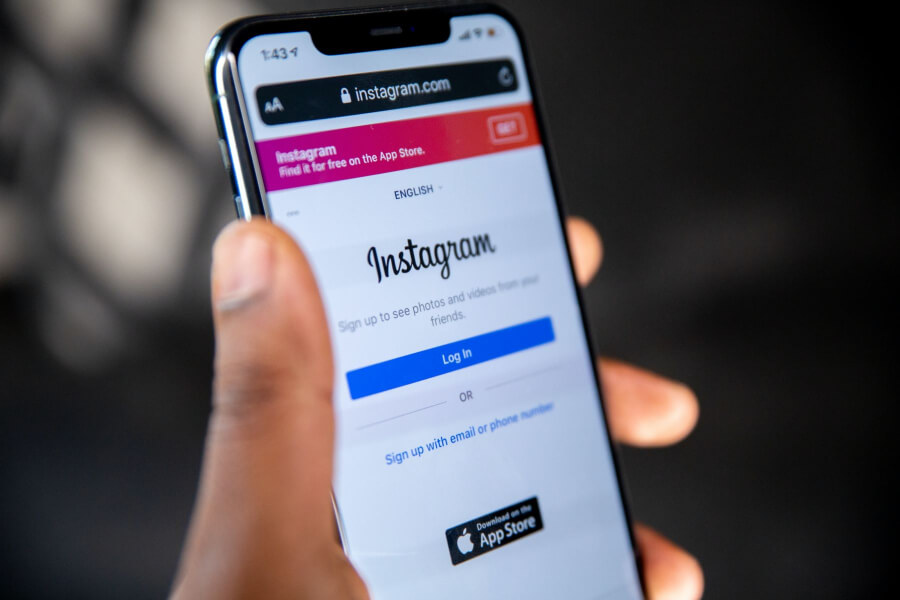
- Open the Instagram app on your phone.
- Then log into your account on the app.
- Then you can select the settings menu.
- You can then select an account and then linked accounts.
- Then select “Start Sharing on Facebook.”
- Choose Facebook and then log in using your Facebook account details.
- Then you can give the app permissions when it is requested.
- You can also select exactly where you want your content to be shared on Facebook.
- You can then go back to your linked accounts and choose Facebook.
- Ensure that the “Share with Facebook” option for your Stories and Posts has been enabled and is fully functional.
Once you are done with all these steps, then you are good to go. Facebook would want you to choose who will be allowed to see or view your posts, Friends, Everyone, or Nobody.
If your goal is to reach as many people as possible and you plan on using your account for marketing, then you should definitely select Everyone.
If you are not yet sure what exactly your goal is and you are still trying your hands on various things, you could just limit your audience to Friends.
When you finally find your feet and know exactly what you are doing, you can then change all the permissions you have selected.
You could also be asked to confirm where your content would be shared. For instance, you might be asked to make a choice between your timeline, business page, and any other place.
If you are focusing on marketing, publicity, and creating a major reach for your brand, it is highly advisable you choose a business page.
If, later on, you decide that you do not like the whole linking accounts idea, there is no problem. None of the settings or choices you made previously are permanent in nature.
All you really need to do is to go back to the Linked Account menu on your Instagram and then select Facebook and then choose Unlink Account.
This would disconnect your Instagram from your Facebook immediately, and they would separate accounts with no connection whatsoever.
How to Log into Instagram with Facebook
The process of trying to log in to Instagram with your Facebook account should not be difficult at all. It is, in fact, a really simple process as long as you do about it properly.
As long as your Instagram and Facebook accounts are already linked, you have the ability to log into one network through the other.
You can think of it as something more like a single door or pathway that opens to both sides. The fact that your Instagram and Facebook accounts are linked would give you so much flexibility while working with them.
You would literally not have to leave one account before you can move to the other one. It is almost the same way you can use your login with Facebook on several other apps or even websites.
All you have to do is open your Instagram on your phone and then choose Log In With Facebook.
If you are already logged into your Facebook, then you would be able to log in automatically. If you are not yet logged in, then you would need to add your Facebook login when you are prompted to do so and then click on the blue login button.
If you are just setting up an entirely new Instagram account, you can also do the same thing that has been explained above. You would have to install the Instagram app. Here is a brief explanation of how you can install the Instagram app on either IOS or Android.
How to install the Instagram App
On Android;
- Open the Play Store app.
- Search for Instagram.
- Click on Install.
On IOS;
- Open the App Store.
- Search for Instagram.
- Click on Install.
Once you are done, you can then select Log in with Facebook, just as it has been explained above. This action would immediately create an Instagram account and then it would link it to your Facebook account.
The only downside to this method is that you would be getting a really random username and password. This is because it is the app that would just generate something you could use, more like a placeholder.
This should not be a problem because on Instagram, usernames and passwords are not permanent, and they can easily be changed to suit your preferences.
Once you are done with the whole login process, you could easily go back and change the password and username to something you really like, and the change would be reflected immediately.
If you want to change the random username and password that was given to you, just follow these steps:
- First, you would have to log into Instagram through the Facebook login.
- Then you can choose the Settings menu.
- And then, you are to choose Edit Profile.
- You can then choose your username, and then you can change it to something more personal that suits you.
- You should also check your email address to ensure that it is correct and has no errors.
- If you find out that your email has errors, you would need to click on it to edit it.
- You can then go back to your settings menu and then choose Accounts.
- Then you can change your password by choosing Reset Password from the list you would see there.
Once you are done with the above steps, you would most definitely get a notification that would read something more like, “We have sent an email to this address with a link to reset your password.” The place this new link would be sent to is the email that is attached to your account.
This is why it is very important like I have said earlier in the article, to ensure that your email does not have any error.
If you put the wrong email address in your profile, all the links that are sent to you would keep going to that wrong email, and you would not have access to your links at all.
You must also ensure you have access to the email you connect to your account. It must not have password issues or other similar related problems. You must always be able to access it anytime you need it.
So, once you check your email, you can easily follow the link and then set up a new unique password that suits you. Once you are done with all these, your Instagram account would be up and running, fully functional, and all yours.
All these changes that were carried out can also be done on the web instead of the actual app if that is your preference.
It does not make any difference whether it is the direct web or the app that you use. As long as you follow those steps correctly, you would be able to do what you need to do.
It is still possible for you to log into your Instagram through your Facebook. The only difference is that you have now set up your accounts to be accessed independently too.
So it basically means, if you do not want to go through your Facebook, you can log into your Instagram on its own, and if you had already been using Facebook, you do not have to leave the app to access your Instagram.
It is literally the best of both worlds. You would be able to change your profile picture and a bio and also adjust your Instagram account exactly how you like it, and it would not affect your login in any way.
How You Can Unlink Your Instagram Account
Now that you have finally linked your two accounts, that would mean you can now cross-post all your content.
But what if something comes up and you no longer want your Instagram account to be connected to your Facebook account? Is that even possible?
Of course, it is possible to unlink your accounts. The reason behind this decision could be very numerous, and it could because you want to deactivate your Facebook account, or even just because you want to separate the two services.
In reality, the reasons do not matter. All that is important is to be able to unlink the two accounts without losing any previous posts.
All you really need to do is to just follow the exact same steps as previously stated and then click on “Unlink Account,” which would be found under the Linked Accounts option.
Despite the fact that you have done this, your Facebook profile will still hold all your Instagram information and details until you remove all of them.
The moment you remove all your Instagram details, you would also have to delete all your Instagram posts from your Facebook.
So you have to be really sure that this is the decision you want to make because the repercussions are actually permanent.
If You Link Your Accounts and One of the Accounts Gets Hacked, Would the Other One Also Be Compromised Too
The fact is that even after you have linked your two accounts, each of the accounts would still have separate login. Yes, it is true you can now log in using the Facebook option on Instagram, but yet they are still separate.
The login details you use on Facebook would most likely be different from what you use on Instagram. This is because, at the end of the day, even though the accounts are linked, they are still two individual accounts.
The fact that you feel your Instagram might have been compromised does not necessarily mean your Facebook account has also been compromised.
And similarly, even if someone is able to hack your Facebook account, that does not mean they would automatically have access to your Instagram.
It is actually advisable to update your login information on both of the accounts so as to ensure the highest level of security possible.
Still, generally, the fact that one account has been compromised does not mean the person automatically can have access to both accounts.
Can You Link Multiple Instagram Accounts to Your Facebook Account
One of the most awesome things about both of the platforms is the fact that you can actually have several accounts or pages set under the same login.
What this means is that you can easily move back and forth between your personal and professional profiles. It is actually very easy to link multiple Instagram accounts to the exact same Facebook page.
The only thing you would need to do is to follow the same steps as I had explained previously in the article for each of the Instagram account.
How Do You Safeguard Your Instagram and Facebook Accounts From Hackers
It is possible your login issues could be a result of hackers messing with your Instagram account.
Hackers might change your password, mess with your account settings, violate Instagram regulations while using your account, steal your client data, and cause so much more harm.
How Do You Prevent This Type of Occurrence From Happening in the Future
Turn on your two-factor authentication: This setting basically means that anytime you try to log into your account through a new device, you have to enter a code that would be sent to your phone through text or through software like Google Authenticator.
This makes it very hard for hackers to carry out their nefarious plans. You can make this setting functional by setting it up through the security page in the Instagram app.