
If you’re running multiple businesses, you’ll definitely need multiple Instagram accounts. You might have created your first Instagram account successfully, but after attempting to create another account for your brand, you realize that Instagram won’t let you create the account.
It’s not that creating multiple accounts isn’t allowed on Instagram, it has to do with a technical issue with your phone, Instagram app, or Instagram servers.
When you try to create a new Instagram account and you receive the error message “There was an error in creating the account. Please try again later,” it’s a sign that you might be experiencing sign-up blocks. Meaning that Instagram is trying to block you from creating the account.
This applies especially if you attempt to create a new account countless times but you still end up with the same error message.
One of the common causes is that the device or IP address used has already created a lot of accounts, so much that Instagram decides to block the device and IP address from creating a new account.
Even if that’s the case for you, there is still a solution to fix the “There was an error in creating the account, please try again later” on Instagram.
How to Fix Error in Creating the Account. Please Try Again Later Instagram Error
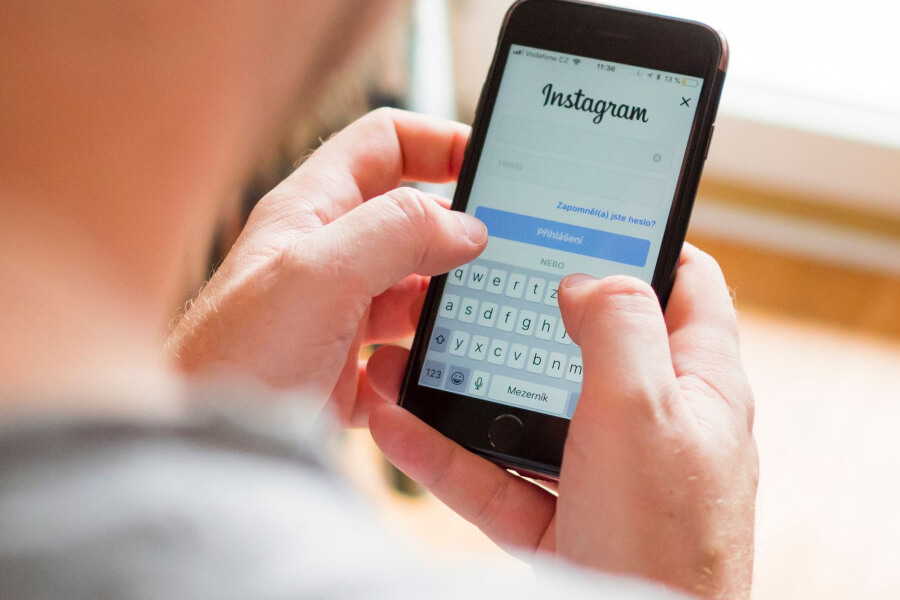
In this post, we’ll share all the necessary procedures you need to take in order to successfully create a new Instagram account. Not only creating just one account, but we’ll also show you how to break the limit and create any number of Instagram accounts you want, just stay with us till the end to learn how to do it.
Why Do You Receive The Message “There Was An Error In Creating The Account, Please Try Again Later” When Creating A New Account On Instagram
There are a lot of possible reasons that could lead to this error when creating a new account on Instagram, it’s important to know the possible causes so that you can know what’s preventing you from creating the new Instagram account. Let’s take a look at all the possible causes of this error message;
Instagram servers are experiencing a problem
It’s possible that Instagram servers are having technical problems at the moment you’re trying to signup for the new Instagram account. It happens during maintenance or it could be that the Instagram servers aren’t capable of processing your request.
When you try to create a new account, the Instagram servers are responsible for processing the request and then return the feedback to your app or browser. If for some reason the signup request isn’t completed, you’ll end up with error messages like the one you received.
If that’s what is blocking you from creating the account, you’ll have to wait for the Instagram servers to be fixed. You should also know that Instagram can just go down, which means they’re not available at all, you’ll have to wait for the servers to be back online before you’re able to create the new account.
The IP address is blocked
If you’ve created many accounts using the same IP, the IP address will be blocked from creating new accounts in the future. It can also be that the IP address has been used to violate Instagram terms of use multiple times and they decided to block the IP address from using their services.
This is however different from when you’re blocked from creating new accounts. When you’re blocked from creating another account, you can still use the IP address to manage other Instagram accounts you’ve already created.
On the other hand, when the IP address is banned, it means that it cannot be used to manage even existing accounts. If that’s what caused the signup error on your part, you’ll have to change your IP address which can be done by using proxies or switching to another Wi-Fi network.
Internet problems
The next possible reason for the “There Was an Error in Creating the Account. Please Try Again Later” when trying to create a new account on Instagram is a connectivity problem.
You’re well aware that an internet connection is needed before you’re able to send and receive requests online, once your Internet connection isn’t working or internet options have been changed on your device, you’ll not be able to process requests on any app or website.
If you encounter this error while using the Instagram app, you should check your network and router to make sure there is an active network with strong signals. You might want to consider running a test on your network by checking the current network speed.
A slow network can also lead to this error especially when the website or the Instagram app can’t download the data sent by web servers.
The Instagram app is having problems
Your Instagram app is responsible for communicating with Instagram servers and when it’s corrupt or is having any technical issue, it won’t handle requests properly.
One of the reasons why your Instagram app won’t work properly is not updating the app over a long period of time. Instagram releases updates to ensure that the app can communicate with their servers effectively.
That’s why when you ignore updates, you realize that the app displays errors too often when trying to perform various actions on your Instagram account.
There are also other reasons that will cause the app to corrupt, the overall health of your Instagram app has an influence on this such as the presence of malware on your device and so on.
In order to avoid technical problems, you want to make sure your phone and app are always clean.
Your device has reached the limit of creating new Instagram accounts
Instagram is capable of tracking your activities while using the app and once the maximum number of account creation is reached for any user, they’ll be blocked from creating new Instagram accounts.
No matter what you do, they can always identify your device and block the signup. Instagram allows users to manage not more than five Instagram accounts using the app and that’s the maximum number of accounts you can operate or create.
You’ll find that you won’t be able to create all five accounts consecutively at once, you have to give some space. After creating one account, you should wait for a few days before creating another account.
So the point is, if you have created some accounts with your device and you’re blocked from creating another account, it is a sign you’ve reached the limit using the device you’re currently using.
Phone number or email address is in use
It has already been mentioned a while ago that Instagram allows creating multiple accounts, but that doesn’t mean the same email address or phone number will be used in other accounts.
The same email or phone number can’t be used on multiple accounts, you’ll have to use a new email and phone number for each new account you want to create.
If this applies to your current situation, you need to use another phone number or email for the account creation.
Even if you have never used your email address on any Instagram account, you should consider using another email provider.
This is because some email service providers are blocked, using disposable and temporary email addresses will hardly work on Instagram. Use an email from a reputable email provider and try creating the new Instagram account again.
You’re using automation to create Instagram accounts
Instagram hates users that are using bots to execute massive actions on the platform. Using automation is among the leading causes that will result in account termination. Not only that, the device and Ip address will be blocked from using the platform again.
If you’re having a problem creating a new account and you know that you’ve used tools and bots in your previous accounts, it’s possible that Instagram has identified and blocked your IP address and device for future account creation.
These are the top reasons that could trigger Instagram to block you from creating another account, let’s now share how you can fix the error on your device.
How To Fix There Was An Error In Creating The Account. Please Try Again Later On Instagram
Make sure Instagram servers are available
Whatever you might try, if the servers aren’t available like when they’re facing downtime or under maintenance, you can’t create a new account on Instagram. You might simply ask the people around you to see if their Instagram accounts are running smoothly.
When Instagram servers are down, the app can’t work, and that’s because there is no communication when the servers are down.
You can also try checking online to see what’s happening on Instagram, or preferably you should check their Twitter handle since if there is a problem, they’ll always update their users.
Check and fix internet connection
Start by checking the availability of your network, check network signals and if it seems good, you should visit a website on your browser to see if it can load. If you’re able to load the website fast it means nothing is wrong with your network.
If it’s otherwise, you should restart your router or modem to refresh network settings. Preferably, you should switch to another Wi-Fi or use your mobile data when creating the new Instagram account.
Logout of Facebook account
If you already have an Instagram account that is connected to Facebook and the Facebook account is still logged in, you’ll have to sign out of the Facebook account to get rid of the error. Sign out of Facebook from the app or browser and proceed with creating the new account.
Hopefully, you should be able to take care of the error “There Was an Error in Creating the Account. Please Try Again Later” during account creation.
Change Ip address
If you know that the same IP address you’re currently using has been used to create multiple accounts in the past or you’ve used the IP address on accounts that have been banned or suspended, you have to consider changing another IP address.
To change your IP address, you should switch to using mobile data if you’re using Wi-Fi, and if you’re using mobile data, you should switch Wi-Fi.
You can as well use different Wi-Fi networks available in your area. You can use proxies or VPN also to change your IP address with ease, but you have to use a good service. Don’t use the free options that are available because most of them are blocked on Instagram.
Use your browser
If you’re trying to create a new Instagram account using the app, you should use your browser to sign up. After creating the account on the browser, you can log in using the app.
If you can succeed at creating the new Instagram account on a browser, it means your app has a problem and you need to fix it before it works properly.
Update or reinstall your Instagram app
If you have created the account with a browser, you need to fix your Instagram and you should do so by installing all updates available. After installing updates and the app isn’t working, you’ll have to reinstall the app.
Reinstalling the app will take care of any technical problem you’re having within the app.
Change device
If you’re using a phone to create the Instagram account, you should now consider using your PC browser or you can use the Instagram desktop app version to create the new account.
For windows users, only Windows 10 is supported for the desktop app. You can download the Instagram desktop version from Microsoft Store.
Use incognito
We’ve already mentioned using a browser, but if you have used the same browser to create a lot of accounts in the past, you can’t create a new account.
Switching to incognito mode (for Chrome) or private browsing mode (in other browsers like Firefox) will allow you to create a new account.
These are the fixes to the “There Was an Error in Creating the Account. Please Try Again Later” error when trying to create a new account on Instagram. Let’s now share the steps you need to follow if you want to create unlimited accounts on Instagram.
How To Create Unlimited Accounts On Instagram
- Every time you want to create a new Instagram account, you should use Incognito or private browsing mode.
- Use VPN apps to make sure you’re using a new IP address before opening your browser.
- Use a new phone number and email for the new account.
- Use different personal information as well.
That’s it, you’ll now be able to create as many accounts as you want. Let us know if this works for you in the comments.